Posts Tagged ‘Android’

New ways to cover breaking news

Thursday, September 9th, 2010

I got a cool e-mail yesterday from Justin Grigg, news editor for the Missoulian newspaper in Montana. “I recently bought an Android phone and stocked it with apps based on some of your blog posts. Little did I know I’d get to use Qik in the field so soon – I streamed live footage of a bear up a tree in downtown Missoula, Mont.”

Here’s the news story and one of the videos. “We started out with a link to the live stream from a breaking news story about the bear downtown. People in the office tweeted about the story and live stream,” Justin wrote.

The video showed how authorities managed to capture the bear without hurting the wild animal. It’s a good example of how a smart phone can be an amazing tool when you’re covering breaking news. Apps like Qik let you broadcast a video as the news happens. Awesome. Glad it was useful, Justin.

Smart phone apps for mobile journalists

Thursday, June 17th, 2010
Webinar about mobile journalism at the San Antonio Express-News

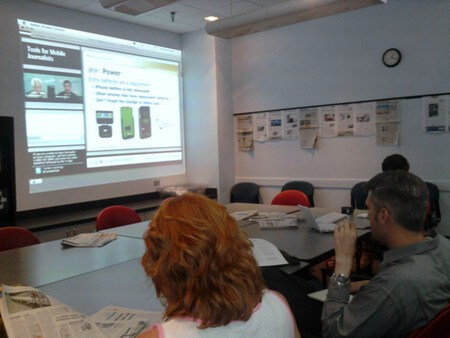
Journalists at the San Antonio Express-News watch a Webinar by News University

Poynter’s News University hosted a Webinar today about tools for mobile journalists. Instructor Damon Kiesow, who posts on Poynter’s Mobile Media blog, brought a clear message to the discussion: These nifty smart-phone apps are simply tools that help us tell stories. The technology should not overshadow the journalism.

At the same time, you need to stay on top of this rapidly evolving technology and use it to truly understand it. I had blogged about handy Android apps for journalists a few weeks ago. Here are some more smart phone apps and tools Kiesow recommended:

  • Audioboo: For instant podcasting — make a recording on your phone and upload it straight to the Web. Simple.
  • Yelp, Foursquare, and Gowalla: Can be used for researching businesses and finding customers.
  • Eye-Fi: Smart cards for cameras that create WiFi connections and let you upload photos. Awesome.
  • Dropbox: Handy file-sharing system.
  • Handy Android apps for journalists and bloggers

    Thursday, May 27th, 2010

    Android apps for journalists and bloggers

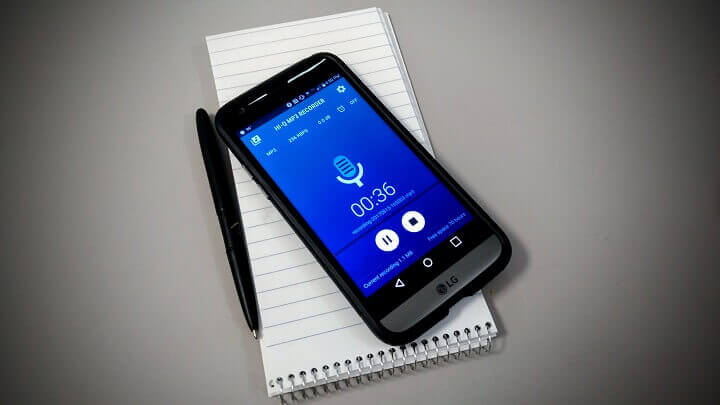
    You don’t need a smart phone to be a good journalist. But it can be a useful tool, just like a notebook and pen. You can rely on it in a pinch if you don’t have the gear in your man purse satchel with you. And a few apps might radically change the way you find, organize and share information.

    Here are some cool Android apps I’ve been experimenting with:

  • For notes: Evernote is a free app that lets you take notes, pictures, and audio recordings. Your files are synced with Evernote and can be accessed from your desktop computer. Evernote is also useful for taking pictures of documents — it automatically scans the image and recognizes the text. You can search those keywords. Tech consultant Shawn Miller wrote a detailed review of Evernote and how he uses it for just about everything.
  • Police scanner: Scanner Radio checks for live streams of emergency channels in your area and lets you listen to police scanners on your phone.
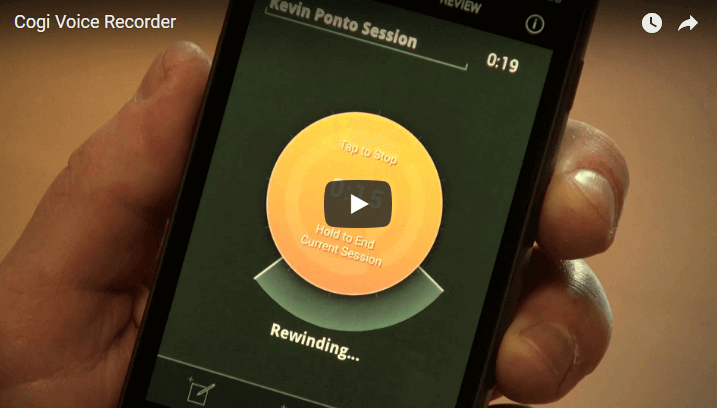
  • Voice recorder: Google offers an app to record face-to-face interviews.
  • Live stream video: You can record free, live videos with Qik, Ustream, and Bambuser. Very handy if you’re at the scene of a compelling story or covering a speech. Here’s an example of a Qik video taken by Express-News police reporter Eva Ruth Moravec when she was at a school where authorities detonated a dangerous substance:
  • The audio and visual quality of these videos usually aren’t the greatest, so I’d recommend using a good camera with an external microphone, and video editing software for stories that don’t have to be broadcast right that instant. But for breaking news, live stream video can be crucial.

  • Photo editing: You can crop and edit pictures on your phone with Adobe Photoshop.
  • Reference: Dictionary.com has an app that gives you a mobile dictionary and thesaurus, and Wapedia offers a simple interface to look up information on Wikipedia. There’s an app for CIA Factbook to look up profiles of every country in the world. Yellowbook puts the yellow pages on your mobile phone, allowing you to look up local businesses.

    For political junkies, the Sunlight Foundation made the Congress app. You can look up bills and profiles of U.S. senators and representatives, read their tweets and check out their YouTube videos, and contact them.

  • Bookmarking tools: When you find a cool Web page on your cell phone, apps for Diigo and Delicious let you bookmark the page and look it up on your desktop computer.
  • Google Voice: Etan Horowitz at Poynter offers a nice review of Google Voice for journalists. Google provides a free phone number that can be assigned to multiple phones — even a land line. Your original phone numbers will still work. In the Google Voice app for Android, when someone leaves you a voice mail, Google transcribes (somewhat accurately) the message, so you can quickly read it and get the gist of what the person wants without even listening to it. When someone calls your Google number, you can press 4 to record the call — another handy tool if you’re caught without a recorder. You get an e-mail of each voice mail and audio recording, and you can embed them on Web pages. Lifehacker looked at the pros and cons of Google Voice.
  • Feel free to share other handy apps. I’ll update this post with your suggestions and other discoveries I find later.

    Update: Poynter’s News University hosted a Webinar on June 17 about tools for mobile journalists. Here are some more smart phone apps and tools:

  • Audioboo: For instant podcasting — make a recording on your phone and upload it straight to the Web. Simple.
  • Yelp, Foursquare, and Gowalla: Can be used for researching businesses and finding customers.
  • Eye-Fi: Smart cards for cameras that create WiFi connections and let you upload photos. Awesome.
  • Dropbox: Handy file-sharing system.
  • (Photo credit: Johan Larsson)

    Reporting tool: Taking notes with Evernote

    Wednesday, May 19th, 2010

    Shawn Miller wrote an amazingly detailed review of Evernote, a free service that lets you take notes, pictures and recordings; sync them with Evernote; and read and search all your material on Web browsers, desktop software, and mobile apps:

    Why install the same application in so many different places? Evernote stores your collected items in the “cloud,” so every time you capture something using, say, an iPhone, that item resides on the Evernote server and thus becomes available through other interfaces such as the standalone Evernote application on a desktop machine or via the Evernote website visited on your laptop.

    Miller explains the myriad ways he relies on Evernote. To use a technical term, it looks wicked awesome for journalists and researchers. I’m now inspired to try it out on my Android phone — check the instructional video.

    Update: Just found this vid that demonstrates how Evernote uses a type of Optical Character Recognition when you upload photos. So when you type keyword searches, you can find the words in documents you photograph. Madness.